RETURNING STUDENT REGISTRATION
ANNUAL UPDATE for CURRENT/RETURNING SCPS STUDENTS
2026-2027 SCHOOL YEAR
All families returning to SCPS must complete the 2026-2027 Returning Student Registration through the PowerSchool Parent Portal. The school division needs to have accurate contact information on file so that parents/guardians can be promptly notified in the event of emergencies, school closings, and other important updates. This registration process also provides parents with the opportunity to review and electronically sign the Code of Conduct Policy, Attendance Policy, Acceptable Use Policy, Permission to Photograph Policy, and additional division forms.
Steps to complete the Returning Student Registration:
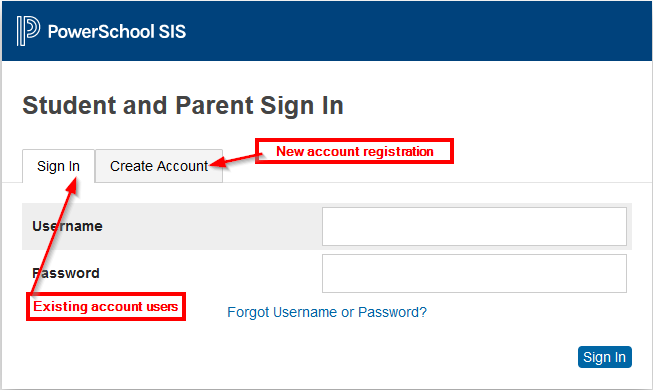
Access the SCPS PowerSchool Parent Portal @ https://sussex.powerschool.com/public/home.html
If you already have an active Parent Portal account, you may use your existing login credentials.
If you have not created a Parent Portal account, you will need to create an account using your student's unique Access ID and Access Password. This information was sent home with the student's report card.Select the Returning Student Registration 2026-2027 icon on the left side of the page.
Agree to the terms and conditions.
Begin the registration.